From First Meeting to Launch: The Software Development Process Explained
Developing custom software involves much more than writing code. Behind a successful software project are business requirements, planning, development, testing and several important decisions.
The idea for a new business application, customer portal or internal management system often begins with a specific problem. An existing process may require too much manual work, several systems may not communicate effectively, or a new service may require functionality that is not yet available.
However, software development does not begin with the first line of code.
To create a solution that works in practice, the first step is understanding the problem and defining the process required to turn an initial idea into a functioning system.
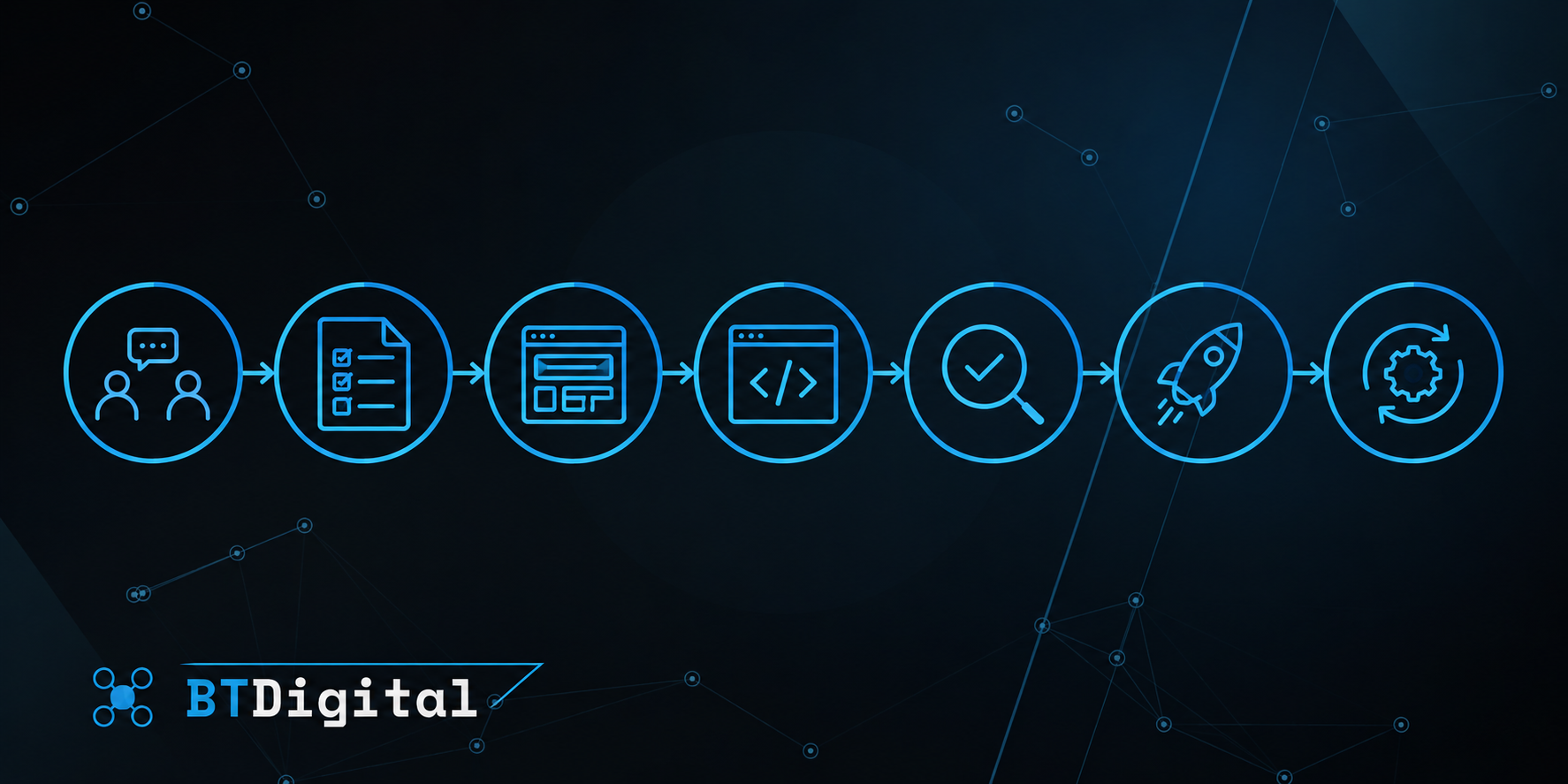
1. The first meeting: understanding the business problem
The first stage of a software project usually focuses on understanding business requirements.
At this point, it is not always necessary to know which technologies should be used or how the system should be structured.
Understanding the current workflow is more important.
What problem needs to be solved? Who will use the software? Which tasks should it support? What systems are already in place? What would make the project successful?
For example, a business may need a new internal administration system because employees currently manage the same information across several spreadsheets.
The initial request may simply be for a new administrative interface.
However, a more detailed discussion may reveal that the underlying problem is duplicated data, missing access controls or a lack of integration between existing systems.
The purpose of the first meeting is therefore not simply to create a feature list. It is to identify the actual business problem that the software needs to solve.
2. Defining requirements and project scope
Once the business objective is clear, the next step is to define the required functionality.
This stage establishes what the system needs to do, which user roles are necessary, what information must be managed and which external applications need to be connected.
It is important to distinguish essential functionality from features that can be introduced later.
For example, the first version of a customer portal may require login functionality, customer information and document access. Advanced reporting or additional convenience features could be developed in a later phase.
Prioritisation helps prevent a project from becoming unnecessarily complex before development even begins.
Clearly defined requirements also provide the foundation for realistic time and cost estimates.
3. Planning: designing how the system will work
The next stage involves designing the solution.
This may include the user interface, the underlying business logic and the technical architecture.
User experience and interface design
An important part of planning is understanding how users will interact with the application.
Which screens will they use? How will they move between different tasks? Which information should be immediately accessible?
Depending on the project, wireframes, interface designs or clickable prototypes may be created during this stage.
These help validate the planned functionality before full development begins.
Technical architecture
Alongside the interface, the technical structure of the system must also be designed.
This can include databases, backend services, APIs, access controls, external integrations and infrastructure.
A well-designed architecture supports not only the initial functionality but also future maintenance and expansion.
4. Development: turning plans into working software
During development, the planned functionality gradually becomes a working application.
Depending on the size and complexity of the project, development may be divided into several stages.
Core functionality can be implemented first, followed by additional modules, integrations and user interfaces.
For a customer portal, for example, development might begin with authentication and user management. Customer information, document management and external system integrations could follow.
Regular review points during development can help ensure that the solution continues to meet business expectations.
This is particularly valuable because some requirements become clearer once parts of the application can be tested in practice.
5. Testing: working software is not always production-ready
Completing a feature does not automatically mean it is ready for everyday use.
Testing is intended to verify that the system behaves as expected, handles information correctly and remains reliable when unexpected situations occur.
Testing can include several areas:
Functional testing: Do features work according to the requirements?
Integration testing: Do connected systems communicate correctly?
Security checks: Are data and access permissions appropriately protected?
Performance testing: How does the system behave under increased load?
User acceptance testing: Does the finished solution support the actual business workflow?
For example, an order management system may work correctly under ideal conditions, but it is also important to verify what happens when data is missing, a connection fails or an external service returns an error.
Testing is therefore not simply about fixing the final bugs. It is about validating the reliability of the system.
6. Launch: making the software available to users
Launch is the stage when the developed system becomes available for real-world use.
This does not necessarily mean pressing a single button.
Before launch, infrastructure may need to be prepared, existing data migrated, permissions configured, external integrations verified and employees introduced to the new system.
For some projects, a gradual rollout may be appropriate.
For example, a smaller group of users may begin working with the application before it becomes available across the entire organisation.
This allows early feedback to be collected and potential issues to be addressed before wider adoption.
The objective is to introduce the new system with as little disruption to everyday operations as possible.
7. What happens after launch?
A software project does not necessarily end when the application goes live.
Real-world usage can reveal new requirements, opportunities for improvement and situations that were not apparent during development.
Ongoing operation may involve fixing issues, applying security updates, monitoring performance and introducing additional functionality.
Business processes can also change over time. New services, additional users or new external systems may require further development.
Custom software is therefore not always best viewed as a one-time, finished product. It can be a digital tool that continues to evolve alongside the business.
How long does a software project take?
There is no universal timeline for software development.
A small, clearly defined application or integration may be completed much faster than a platform involving multiple user roles, complex business logic and several external systems.
The timeline depends on the clarity of requirements, the number of features, integration complexity, the speed of decisions and feedback, and the testing and deployment requirements.
The objective of planning is not necessarily to achieve the shortest possible development time.
It is to establish a realistic schedule that accounts for both business and technical risks.
What makes a software project successful?
The success of a software project is not determined solely by whether the planned features have been completed.
It is equally important to consider whether the system actually solves the original business problem.
Does it reduce manual work? Does it make tasks easier for users? Does it communicate reliably with existing systems? Can it support future growth?
Defining measurable objectives at the beginning of the project makes it easier to evaluate the outcome after launch.
This allows success to be measured not only by whether the software has been delivered, but also by whether it achieves the intended business results.
The BT Digital approach
BT Digital approaches software development by first understanding the business requirements and existing workflows. The objective is not simply to implement a list of features, but to create a digital solution that fits the actual operations of the business.
BT Digital supports software projects through custom web and business application development, backend systems, APIs and system integrations. The development process can cover the entire lifecycle, from requirements analysis and technical planning through development, testing and deployment to ongoing operation and future improvements.
The goal is to create reliable, maintainable and scalable software that works effectively not only at launch, but also continues to support the business and its objectives over time.